
Your documents stay local
Scans, imported pages, thumbnails, OCR text, folders, and search data live in the app container on your device.
 Flatscan
Flatscan
Beyond the built-in scanner: scan or import, then keep documents searchable, organized, and local. No document uploads.
Your iPhone already has a built-in document scanner. Flatscan is for what comes next: turn camera scans, Photos, Files, and PDFs into a searchable local archive you can organize, protect, and export.
Free download. A 14-day Flatscan Pro trial is available in the app.
Local-first by design
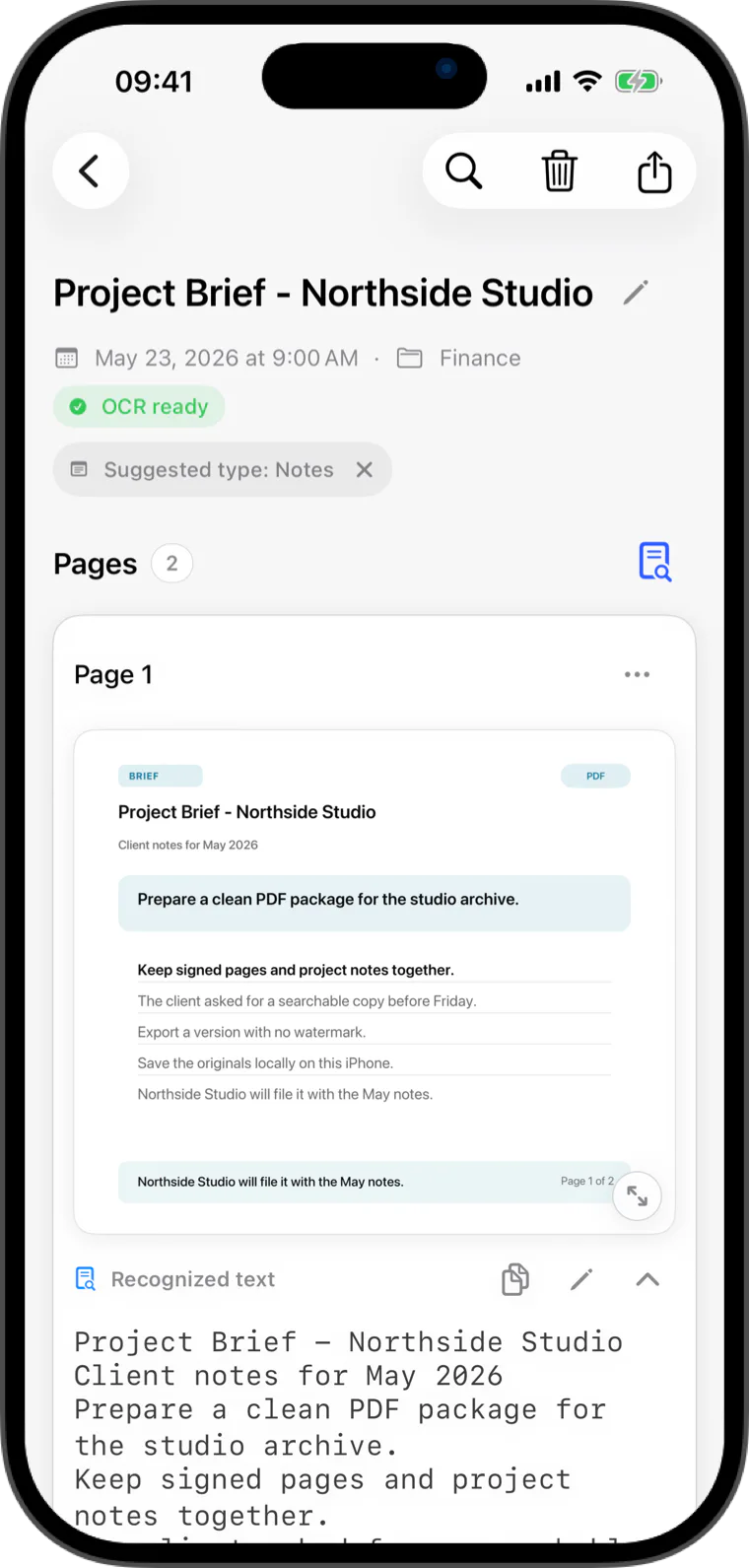
Scans, imported pages, thumbnails, OCR text, folders, and search data live in the app container on your device.
Flatscan uses Apple's Vision framework for text recognition. There is no server-side OCR pipeline.
When you share a PDF or TXT file, Apple's share sheet lets you choose the destination.
Encrypted protected storage
Move IDs, financial records, contracts, and other important documents into an encrypted archive on your device. Protected titles, pages, thumbnails, OCR text, notes, and folder names stay outside the ordinary archive.

Built for everyday paper
Capture a page, import a file, and find it again later. Flatscan is for the receipts, invoices, forms, contracts, notes, and PDFs that matter after the scan.
Scan or import pages, review them, then export a normal PDF without ads or watermark tricks.
Reorder, remove, add, and rotate captured or imported pages before saving them to a local folder.
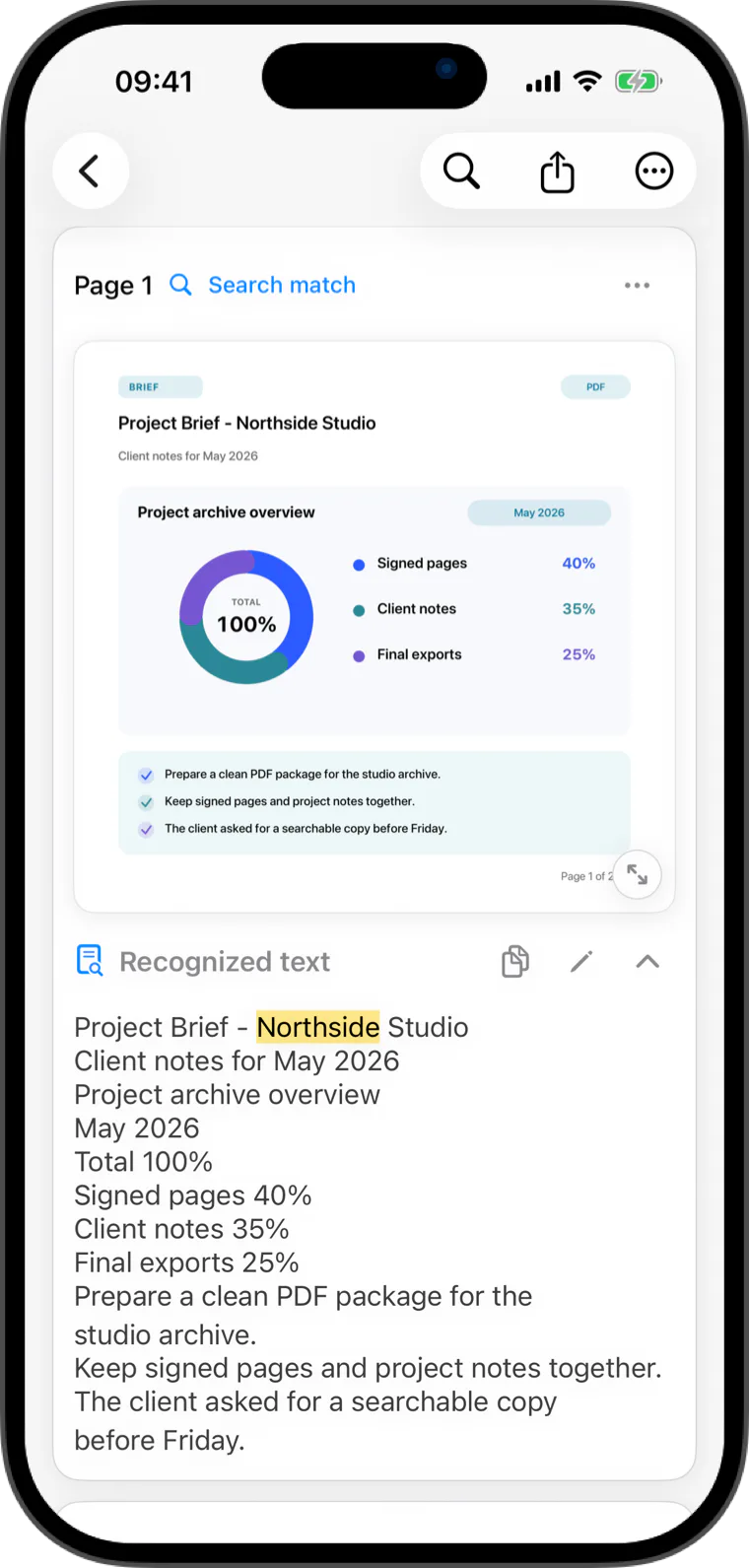
Use local OCR to find words inside saved receipts, invoices, contracts, forms, and notes.
Save the recognized text from an OCR-ready document as a UTF-8 TXT file whenever you need it.
Organize documents, restore accidental deletes, and work with several PDFs when the archive grows.
Flatscan Pro exports PDFs with selectable text when you need to search them outside the app.
Keep important documents in a separate encrypted archive that locks when you leave it.
Useful for real documents
Use Flatscan as a receipt scanner, invoice scanner, contract scanner, PDF importer, and local OCR archive. The point is simple: turn paper and files into clean, searchable documents without sending them to a Flatscan cloud.
Scan receipts, bills, and tax paperwork, then search merchant names, totals, or notes later.
Keep invoices, agreements, IDs, and forms in one local archive with clear document names.
Import existing pages from Photos, Files, or PDFs into the same local workflow as camera scans.
Keep scans, OCR text, folders, and search data local by default with no Flatscan document uploads.
Product proof
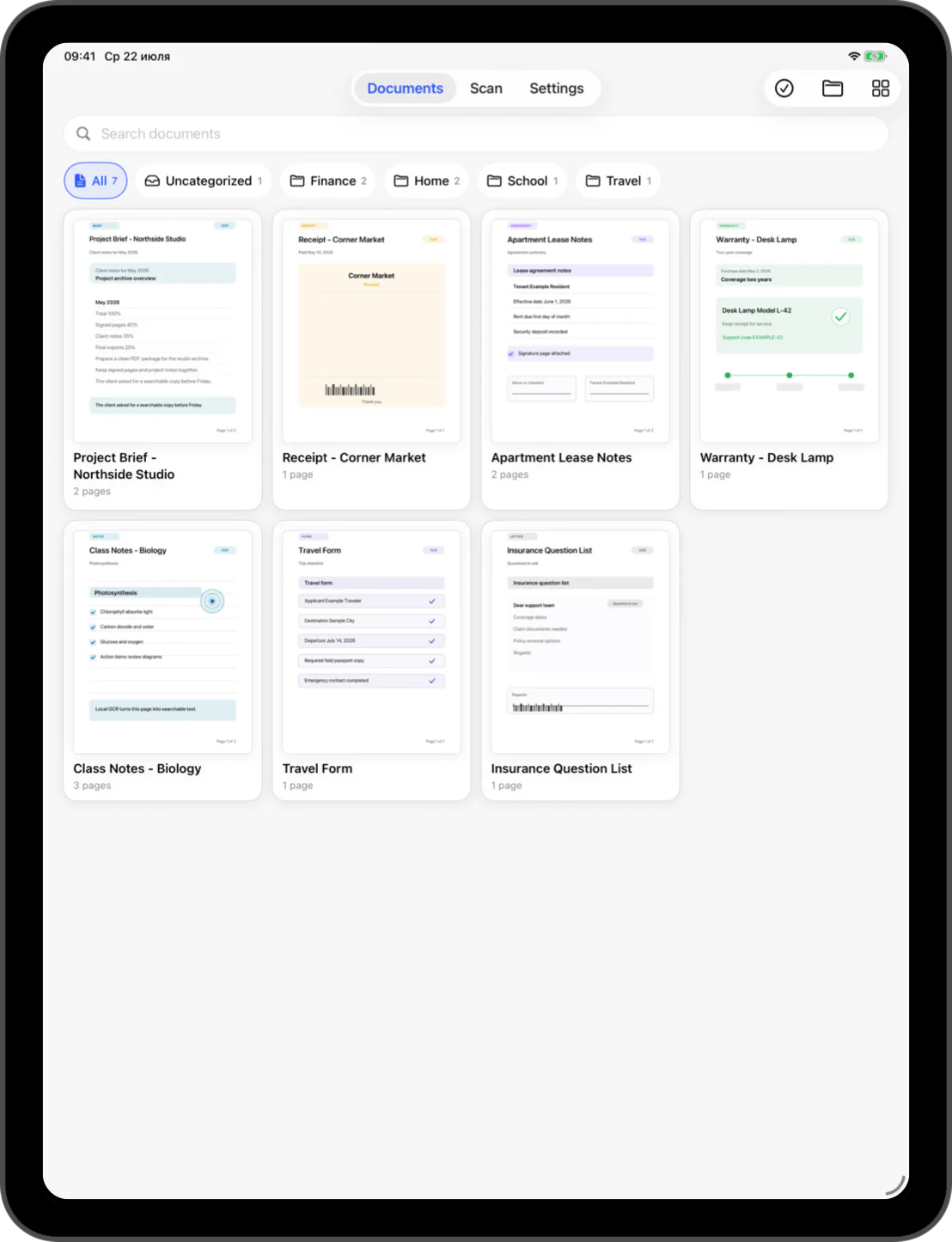
Visual thumbnails, folders, OCR status, and document details help you recognize what you saved.
Search local OCR text and return to the matching document page.
Scan or import, then share a normal PDF without a watermark before you decide to upgrade.
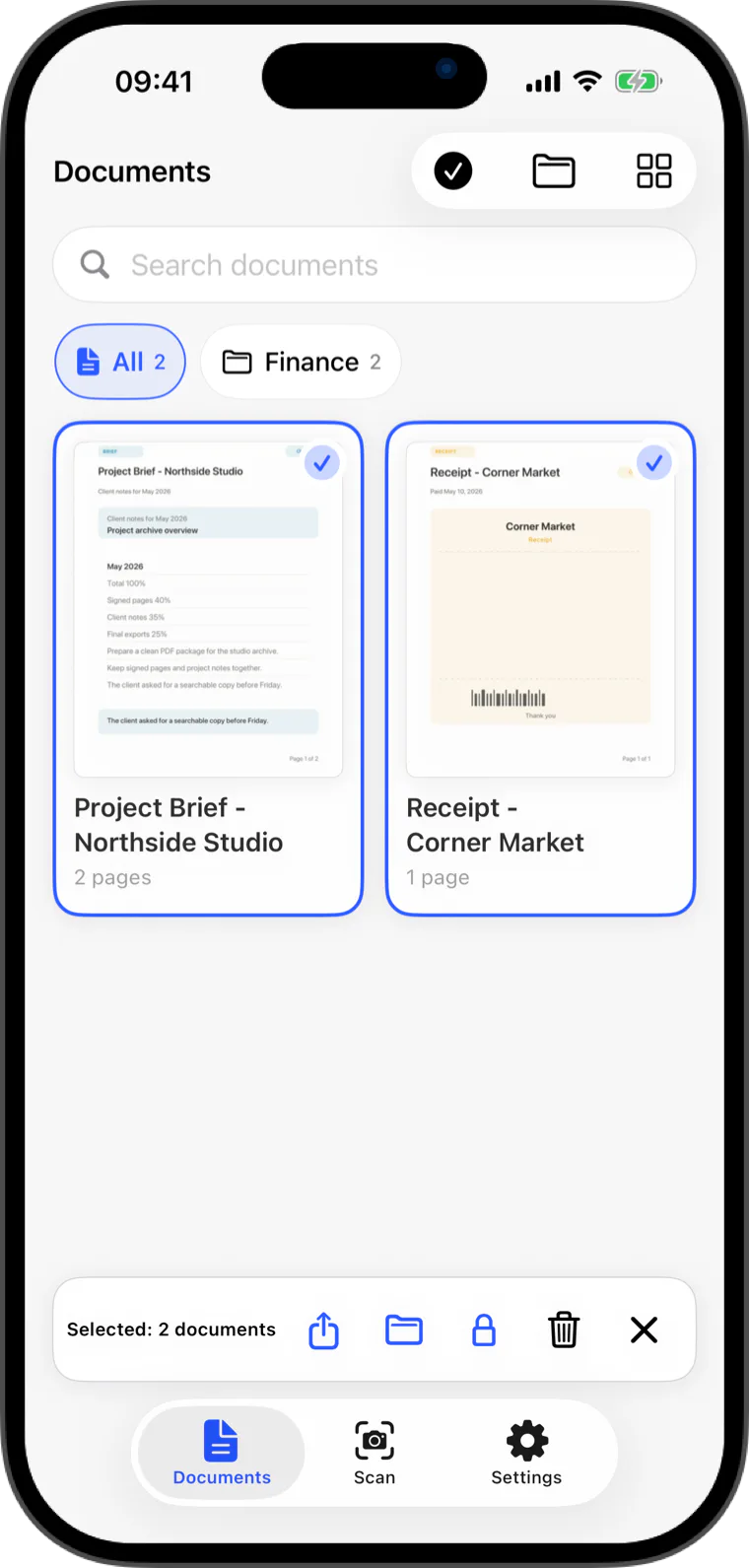
Move, delete, restore, and export multiple documents as the stack grows.
Available now
Start with local scans, imports, folders, and clean PDF export. When your archive grows, on-device OCR makes it easier to find what you saved.
View on the App StoreQuick answers
Yes. Flatscan uses Apple's on-device Vision OCR to recognize text in saved documents and make it searchable inside the app.
Yes. Clean PDF export is available without a watermark. Pro is for unlimited OCR and search plus searchable PDF export.
Yes. During the 14-day Pro trial or with Flatscan Pro, documents with recognized text can export as searchable PDFs with selectable text.
No. Flatscan does not upload document images, OCR text, document titles, search queries, or archive contents to Flatscan servers.
Yes. Flatscan can scan with the camera or import pages from Photos, Files, and PDFs into the same local archive.
Pages, thumbnails, document titles, OCR text, notes, protected folder names, and the protected catalog are encrypted on the device.