
Your documents stay local
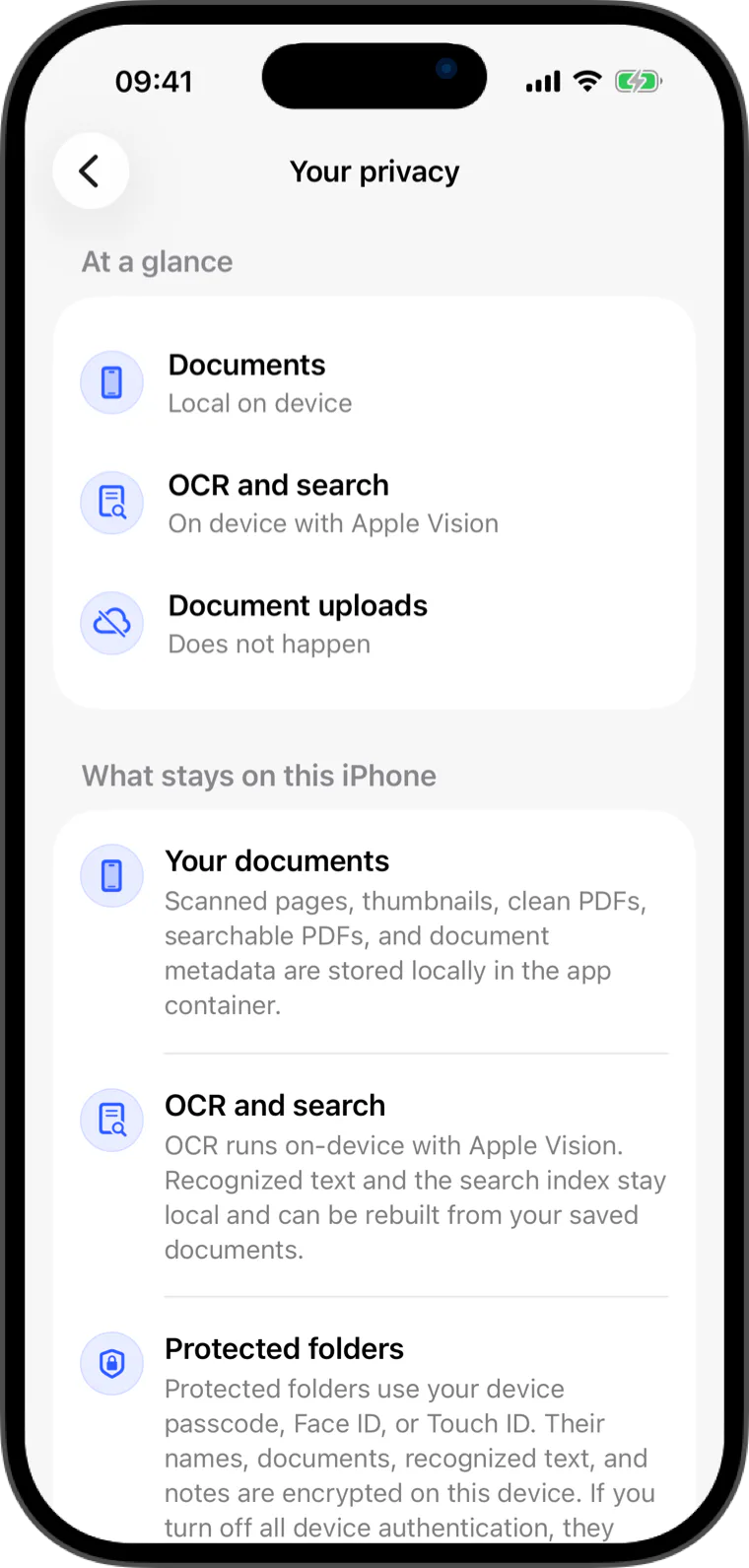
Scans, imported pages, thumbnails, OCR text, folders, and search data live in the app container on your device.
 Flatscan
Local privacy
Scans, imported pages, OCR text, folders, and search data stay in the app container on your device.
Scans, imported pages, thumbnails, OCR text, folders, and search data live in the app container on your device.
Local privacy
Flatscan uses Apple's Vision framework for text recognition. There is no server-side OCR pipeline.
When you share a PDF or TXT file, Apple's share sheet lets you choose the destination.
Built for everyday paper
Scans, imported pages, thumbnails, OCR text, folders, and search data live in the app container on your device.
Flatscan uses Apple's Vision framework for text recognition. There is no server-side OCR pipeline.
When you share a PDF or TXT file, Apple's share sheet lets you choose the destination.
Quick answers
No. Flatscan does not upload document images, OCR text, document titles, search queries, or archive contents to Flatscan servers.
Yes. Flatscan can scan with the camera or import pages from Photos, Files, and PDFs into the same local archive.
Flatscan